How to Use Time-of-Use Rates and Smart EV Charger Scheduling to Cut Your Winter Charging Bill
Our top picks
 App scheduling, energy tracking and load management, ~$599Emporia Pro EV Charger48 A · 11.5 kW · 25 ft · J17728.8Price tier: PremiumCheck price on Amazon
 App with scheduling and off-peak/TOU optimization, ~$399-599Autel MaxiCharger AC Home50 A · 12 kW · 25 ft · J17728.7Price tier: Mid-rangeCheck price
 App scheduling, cost tracking, utility rebate program compatibility, ~$500-600ChargePoint Home Flex50 A · 12 kW · 23 ft · J17729.0Price tier: Mid-rangeCheck price
 8.4Price tier: BudgetCheck price
A time-of-use (TOU) rate charges one price per kilowatt-hour at night and a higher price in the afternoon and evening. An EV is the best appliance you own for exploiting that, because it can sit in the driveway for ten hours and doesn’t care when it takes its energy. In winter, when the car uses more power per mile, the gap between a scheduled and an unscheduled charge gets larger.
This guide explains how TOU rates work, what to check before switching, how to schedule from the car or the charger, and which chargers in our data help. It is a research-based guide, not a tariff recommendation. Your utility’s rate schedule is the only source for your numbers, and every example below is illustrative. Prices for chargers are the ranges from our model data as of October 10, 2026, so check the current price before you buy.
What is a time-of-use rate, and how does it save money?
On a flat rate, every kWh costs the same at 3 a.m. and 6 p.m. On a TOU plan, the day is split into periods. The Alternative Fuels Data Center notes that some utilities offer residential time-of-use rates or other rate incentives for people who own charging equipment. The period names, hours and prices vary by utility and often by season.
The saving comes from moving a flexible load into the cheap window. Our monthly home charging cost guide gives the formula: monthly kWh is monthly miles divided by miles per kWh, times 1.1 for charging losses, and cost is kWh times your rate. Here is an illustration with made-up rates, to show the shape of the math rather than any real tariff:
| Scenario | Monthly kWh | Flat $0.22 | TOU, all off-peak at $0.12 | TOU, all on-peak at $0.35 |
|---|---|---|---|---|
| Summer-style month, 1,000 miles at 3.5 mi/kWh | ~314 | ~$69 | ~$38 | ~$110 |
| Winter-style month, assuming ~400 kWh | ~400 | ~$88 | ~$48 | ~$140 |
The point is the spread. Charging in the cheap window beats the flat rate, and charging in the expensive window is worse than it. Scheduling is what stops you from accidentally doing the second one.
Should you switch to a TOU plan?
Not automatically. The EV is only part of your bill. Before you switch:
- Get the rate schedule. Look for the off-peak hours, the on-peak hours, the price of each, and any seasonal changes. Winter schedules can differ from summer ones.
- Check for a separate EV rate. Some utilities offer a plan designed for EV owners, sometimes with a second meter. Our rebates and installation guide explains why to look at the utility’s EV page first, since some rebates require enrollment before you buy or install.
- Estimate the rest of the house. If your household runs the dryer, oven, and heat pump hard in the evening peak, a TOU plan can cost more for everything else. Compare last year’s usage against both plans if you can.
- Check for demand charges or fees. Some plans add them. The rate schedule will say.
- Ask whether the plan can be reversed. If your first winter shows it isn’t working, you want to know how to switch back.
If the numbers favor TOU, the EV is the easy part. If they don’t, a flat rate is fine, and scheduling won’t save you anything.
How do you schedule EV charging?
There are two places to do it, and the best practice is to choose one.
In the car. Most modern EVs let you set a charge window or a departure time in the touchscreen or the manufacturer’s app. This works with any charger, including a basic one with no app, and it keeps working if your Wi-Fi goes down. Our cost guide points out that deliberately simple hardware plus a smart car works fine.
On the charger. Smart chargers expose scheduling in their own app. In our data, the Emporia Pro, Autel MaxiCharger, ChargePoint Home Flex, EVIQO Gen 2, Tesla Wall Connector and Wallbox Pulsar Plus all list app scheduling. This is useful if you have more than one EV, want the charger to track cost, or the car’s own scheduling is clumsy.
Whichever you pick, a simple routine works:
- Plug in every time you park, even if the battery isn’t low.
- Set the window to start just after your off-peak period begins and end well before it does, so a late start doesn’t spill into peak pricing.
- Set the target charge. For daily driving many owners stop at 80%, which our cost guide notes is also kinder to the battery; check your vehicle’s manual.
- Do a trial night and read your next bill or your utility’s usage page to confirm the car charged when you meant it to.
- Don’t set a schedule in both places unless you know how they interact.
Mismatched schedules are the most common failure. A car set to start at 11 p.m. on a charger set to start at 1 a.m. may wait for the later time, which can push charging toward the morning or leave you short. How the two interact varies, so test it.
Why does winter make scheduling more useful?
Because you need more energy and you need it in a predictable window. fueleconomy.gov, citing a 2019 AAA study, says EV range can drop about 41% in mixed city and highway driving in the cold with the cabin heater on. Without the heater, it says range is about 12% lower at 20°F than at 75°F. The difference is mostly cabin heating, which is also the part you can control.
That has three consequences:
- More kWh per month. Your winter bill will be higher than your summer one even at the same rate. Our cold weather charging guide covers why.
- Scheduled departure helps. fueleconomy.gov recommends preheating the cabin while plugged in to extend range. If your car supports a departure time, it can warm itself from the wall, ideally with energy drawn at your cheapest rate. How it works varies by model and software, so check your manual.
- Early-morning peaks. Some TOU plans have a morning peak in winter. If yours does, make sure the end of your charging window and the preheat don’t land inside it.
Which chargers help with scheduling?
A basic charger can do the job if your car has a timer. A smart one adds data and convenience. The units below are from our model data, and we don’t claim any of them saves a particular dollar amount. The savings come from your rate plan.
Emporia Pro (~$599) is 12-48 A, hardwired or NEMA 14-50 plug, with app scheduling, real-time energy tracking and solar-charging integration. It supports PowerSmart dynamic load management with the Vue 3 home energy monitor, which our load management guide covers. It can help if your panel is tight. Check the current price on Amazon · Full review
Autel MaxiCharger AC Home (~$399-599) lists an app with scheduling and off-peak/TOU optimization, plus Wi-Fi, Bluetooth and Ethernet, and dynamic load balancing. It is 6-50 A. Our data lists a 3-year warranty. Check the current price on Amazon · Full review
ChargePoint Home Flex (~$500-600) is 16-50 A, plug-in or hardwired, with scheduling, reminders and energy and cost tracking in the app. Our data notes utility rebate program compatibility, which can matter if your utility ties an incentive to specific hardware. Confirm the connector on the listing, as NACS versions are separate. Check the current price on Amazon · Full review
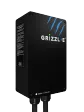
Grizzl-E Classic (~$300-450) has no app and no smart features on the base model. It is a 40 A plug-in with DIP-switch amperage and a NEMA 4 case. You schedule from the car instead. It is the cheapest way to take advantage of TOU rates if your car has a timer. Check the current price on Amazon · Full review
For the whole field, see the best Level 2 EV chargers of 2026. If you are choosing amperage, our 40-amp vs 48-amp guide explains the trade-off. Remember the charger is only part of the cost: installation by a licensed electrician is separate, and permits may be required.
Do you need a smart charger at all?
Often no. If your car has a charge timer and you are comfortable setting it, a basic charger does the same job. A smart charger is worth the extra money in these cases:
- You have two EVs and want one place to manage both.
- Your utility offers a rebate that requires a connected charger, or reports usage through one.
- You want energy and cost tracking in an app.
- Your panel is limited, and load management could avoid an upgrade.
- You want solar surplus charging, which the Emporia Pro lists.
If none of those applies, put the savings toward the installation, and use the car’s timer.
What about Black Friday and the holidays?
Black Friday 2026 is November 27 and Cyber Monday is November 30. We have not verified any 2026 EV charger offers, and our EV charger Black Friday guide explains what the 2025 reports do and don’t tell you. The practical rule is to separate the two decisions. If you already own an EV, switch your plug-in routine and your rate plan now, since that costs nothing. If you are buying a charger, compare today’s price with the sale price later, and don’t forget that holiday and winter weather can stretch electrician lead times, which a discount doesn’t fix. Also note the federal charger credit stopped applying to chargers placed in service after June 30, 2026, as our year-end tax credit guide explains, so utility programs and off-peak rates are where the money is now.
A winter scheduling checklist
- Get your utility’s TOU rate schedule and check the winter hours and any morning peak.
- Compare it against your flat rate using last year’s usage if available.
- Choose where to schedule, the car or the charger, and set only one.
- Plug in every night and set a departure time so the car preheats from the wall.
- Set the window to start after off-peak begins and finish before it ends.
- Check the next bill, or your utility’s usage page, to confirm the charge landed where you intended.
- Review again in spring when the season’s rate schedule changes.
The bottom line
Time-of-use scheduling is the cheapest EV upgrade there is, because it costs nothing if your car has a timer. The work is in the rate plan: read the schedule, compare the whole-house bill, then set the car or the charger to charge in the cheap window. Winter raises the stakes, since you will use more power and need the car warm at departure. Buy a smart charger if you need its features, such as multi-car control, utility rebate eligibility or load management. Otherwise a basic charger and a car timer will do the same job.
Frequently asked questions
What is the cheapest time to charge an EV at home?
Do I need a smart charger to use time-of-use rates?
Is the car or the charger better for scheduling?
Will a TOU plan save me money?
Does cold weather change how I should schedule charging?
Should I wait for Black Friday to buy a smart EV charger?
Sources
- Alternative Fuels Data Center: Charging Electric Vehicles at Home · checked 2026-11-02 — Some utilities offer residential time-of-use rates or other rate incentives for charging infrastructure owners; smart Level 2 products can have charging timers and communications capabilities; electricians can advise whether a home has adequate capacity; installations may need permits.
- fueleconomy.gov: Fuel Economy in Cold Weather · checked 2026-11-02 — EV range can drop roughly 41% in mixed cold-weather driving with the cabin heater, about 12% lower at 20°F without it; preheating the cabin while plugged in can extend range.
Get new guides by e-mail
One short e-mail when EV Charger Reviews publishes a new guide. No spam, no sharing your address, and you can unsubscribe in one click.